 Lookopen Remote
iOS / iPadOS setup
We don't yet publish a Lookopen-branded iOS app. For now, use the official RustDesk client from the App Store and import our settings — two taps.
-
Install RustDesk from the App Store
-
Import the Lookopen settings
On your iPhone or iPad, tap:
If the deeplink doesn't open RustDesk, copy this config string and paste it inside RustDesk → Settings → ID/Relay Server → paste.
id-server=rd-za.lookopen.com relay-server=rd-eu.lookopen.com key=f2FIYB2vXA5O5gE7NE1tBfY3LRihxm+l8joI9OZCme4= -
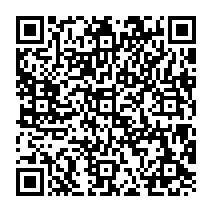
Or scan with your phone from a computer
Trust fingerprint
f2FIYB2vXA5O5gE7NE1tBfY3LRihxm+l8joI9OZCme4=After import, your RustDesk → Settings → ID/Relay Server should show the same key. If it doesn't, the import didn't take — try the copy-paste method above.